
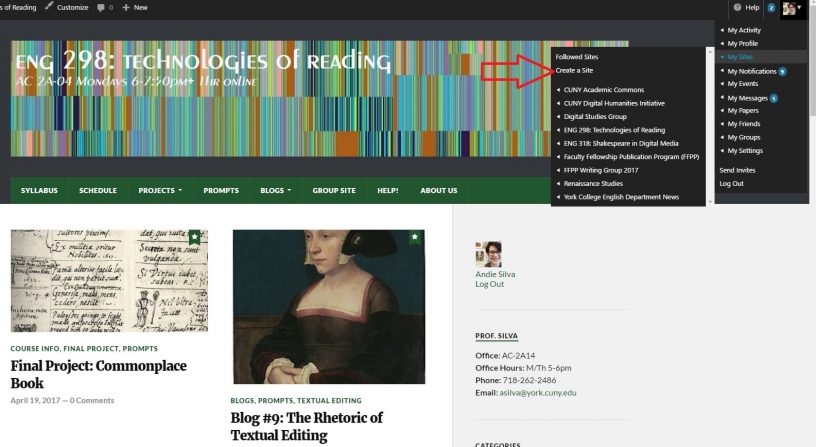



Step by step:
- Be sure you’re logged in. Hover to your avatar and select “my sites” and “create site”

2. Fill out info: choose a name for your domain (its URL) and a title for the site. Make sure you choose the privacy option “I would like my site to be visible only to registered users of CUNY Academic Commons”

3. Your site is ready! Click on the link to be taken directly to it.

4. Use the “customize” or “dashboard” buttons to change the theme to something more visually appealing.


5. Any time you need to locate your website again, you can now find it under “My Sites”

6. Don’t forget to copy the URL from your browser and email it to Prof. Silva at [email protected]









Leave a Reply
You must be logged in to post a comment.